Hybrid meetings shouldn’t feel like a compromise between people in the room and people joining remotely. The Meeting Owl 3 is designed to make collaboration feel more natural by giving remote participants a 360-degree view of the room, intelligent speaker tracking, and clear audio all from one device.
Whether you’re outfitting a huddle room, upgrading a conference room, or looking for flexible video collaboration tools for a growing hybrid workforce, Meeting Owl 3 makes it easier to get everyone seen, heard, and included.

What is the Meeting Owl 3?
The Meeting Owl 3 is an AI-powered meeting camera, microphone, and speaker designed for hybrid meetings. Its 360-degree camera sits in the center of the room and combines a panoramic view with intelligent speaker tracking to help remote participants follow the conversation more naturally.
With 1080p HD video and an 18-foot audio pickup radius, Meeting Owl 3 is designed for small- to medium-sized meeting spaces and can accommodate meetings with up to approximately 8–10 people.
What makes the Meeting Owl 3 different from previous models?
Meeting Owl 3 builds on the original Meeting Owl experience with smarter AI-powered video and audio, greater flexibility, and more ways to adapt your meeting space.
The enhanced Owl Intelligence System™ (OIS) improves speaker detection and transitions, helping the camera recognize and focus on participants more accurately, even when someone is sitting farther away, speaking quietly, wearing a mask, or meeting in less-than-ideal lighting.
Meeting Owl 3 also introduced the Expansion Mic, which extends the device’s audio pickup range by an additional 8 feet in the direction of the microphone. For larger spaces, teams can use Owl Connect to pair Meeting Owls and expand their video and audio coverage.
The Meeting Owl App adds another layer of flexibility, allowing users to customize the meeting experience with modes, making the collaboration experience adaptable and seamless.
How does Meeting Owl 3 improve audio and video in hybrid meetings?
One of the biggest challenges in hybrid meetings is making sure remote participants can clearly see and hear everyone in the room. Meeting Owl 3 addresses both sides of that equation with 360-degree video, intelligent speaker tracking, and 360-degree audio pickup.
The device uses eight omnidirectional beamforming microphones to pick up voices from around the room, with an audio pickup radius of up to 18 feet. Its camera simultaneously captures a panoramic view and intelligently focuses on the active speaker, helping remote participants stay connected to the conversation.
That combination is especially useful for collaborative meetings where conversation moves naturally around the table. Instead of forcing participants to sit directly in front of a camera or repeat themselves for remote colleagues, Meeting Owl 3 helps create a more natural flow between in-room and remote participants.
What room sizes work best with Meeting Owl 3?
Meeting Owl 3 is best suited for a variety of room solutions from office spaces to classrooms. For a small huddle room with 2–4 people, place the Meeting Owl in the center of the table and at least 18 inches from the in-room display. In medium-sized rooms, place it in the center of the table, at least 3 feet from the display and within 18 feet of participants.
For longer tables or larger conference rooms, an Expansion Mic can extend audio pickup by another 8 feet. Teams can also pair two Meeting Owls with Owl Connect to expand video and audio coverage for larger spaces.
The result is a flexible approach to room design. Instead of building your meeting technology around a single fixed camera angle, Meeting Owl 3 can adapt to different room configurations and collaboration styles.
How easy is Meeting Owl 3 to set up and use?
Meeting Owl 3 is designed to be plug-and-play, so teams can get started without complicated room technology or extensive IT support.
Set up Meeting Owl 3 in three simple steps:
1. Place the Owl in the center of the room
Position Meeting Owl 3 in the center of the conference table so it has a clear view of all in-room participants
2. Connect the Owl to your computer
Connect Meeting Owl 3 using USB-C and select the Owl as your camera, microphone, and speaker in your video conferencing application.
3. Start your meeting
Launch your preferred video conferencing platform and let the Owl Intelligence System™ help frame the conversation.
What video conferencing platforms are compatible with Meeting Owl 3?
Meeting Owl 3 works with major video conferencing platforms, including Zoom, Microsoft Teams, and Google Meet. The device connects to your computer as a camera, microphone, and speaker, allowing teams to use their existing meeting software.
This flexibility makes Meeting Owl 3 useful for organizations with different teams, workflows, and collaboration preferences. Rather than requiring employees to learn a new video meeting platform, the Owl works alongside the tools they already use.
Why choose Meeting Owl 3 over other 360-degree cameras?
A 360-degree camera can show an entire room, but simply seeing everyone isn’t always enough to create a great hybrid meeting. Meeting Owl 3 combines a panoramic view with AI-powered speaker tracking to help remote participants understand who is talking and stay engaged with the conversation.
The Owl Intelligence System™ automatically focuses on the active speaker, creating a more dynamic view than a static 360-degree image. It also combines video, microphones, and a speaker in one device, reducing the amount of smart conference room equipment teams need to manage.
The result is a flexible, scalable approach to hybrid meeting technology that can grow with your workplace.
Frequently asked questions about the Meeting Owl 3
Is Meeting Owl 3 good for small teams?
Yes. Meeting Owl 3 is designed for small to medium-sized meeting spaces and works well for teams of approximately 2–10 people.
How far can Meeting Owl 3 hear?
Meeting Owl 3 has an audio pickup radius of up to 18 feet. An Expansion Mic can extend audio pickup by an additional 8 feet in the direction of the microphone.
Does Meeting Owl 3 track speakers automatically?
Yes. The Owl Intelligence System™ uses AI to identify and focus on the person speaking, helping remote participants follow conversations more naturally.
Can Meeting Owl 3 work in larger conference rooms?
Yes. For larger rooms, teams can add an Expansion Mic or pair Meeting Owls using Owl Connect to expand audio and video coverage.
Does Meeting Owl 3 work with Zoom and Microsoft Teams?
Yes. Meeting Owl 3 is compatible with major video conferencing platforms, including Zoom, Microsoft Teams, and Google Meet.
Is Meeting Owl 3 easy to set up?
Yes. Meeting Owl 3 is designed as a plug-and-play solution. Connect it to your computer, select it as your camera, microphone, and speaker, and start your meeting.
Can Meeting Owl 3 be used with other Owl Labs devices?
Yes. Meeting Owl 3 is part of the Owl Labs ecosystem and can work with devices and accessories including the Expansion Mic, Whiteboard Owl, and additional Meeting Owls.
Is Meeting Owl 3 an AI-powered meeting camera?
Yes. Meeting Owl 3 uses the Owl Intelligence System™ to intelligently detect speakers and dynamically focus the camera on the active speaker during meetings.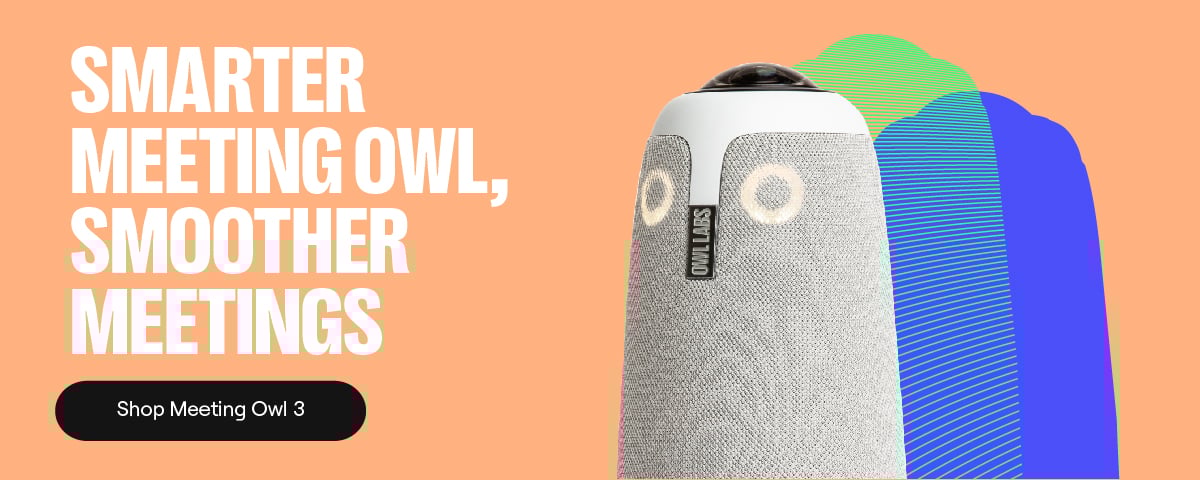
%20(1).png)
Better meetings start here
From huddle rooms to boardrooms and everything in between, we’ve got you covered with solutions that take teamwork to the next level.
Shop Solutions